How we work
Four steps from first conversation to private AI your team uses
Every engagement climbs the same ladder: a free strategy session, a two-week Sprint, a 90-day build, then monthly support. You can stop at any step, and each one earns the next. The bar is simple: your team actually uses what we build.
Before day one
We agree access before we build. Everything below sits in your accounts, under your terms, and you can revoke any of it at any time.
- A named contractor identity
- One named account under your SSO and MFA, in your identity system (for example Microsoft 365 or Google Workspace). When the work ends, you disable one user and every permission goes with it.
- AI seats and keys you pay for
- A seat in your Claude, Copilot or ChatGPT workspace, plus a scoped zero-data-retention API key in your Anthropic, AWS Bedrock or Azure account. Your terms and your billing cover every token.
- A build surface you own
- A repo in your own source control (for example GitHub or Azure DevOps), and a scoped VM, container or server in your environment. For strict law and healthcare work, a client virtual desktop, so no client file touches our laptops.
- Least-privilege tokens
- Per-app tokens scoped to the statement of work, never global admin, and revocable by you at any time.
Step 1 of 4 · 15 + 45 minutes
Strategy session
We find the workflow worth fixing first and walk your security lead through how we work. No cost, no obligation.
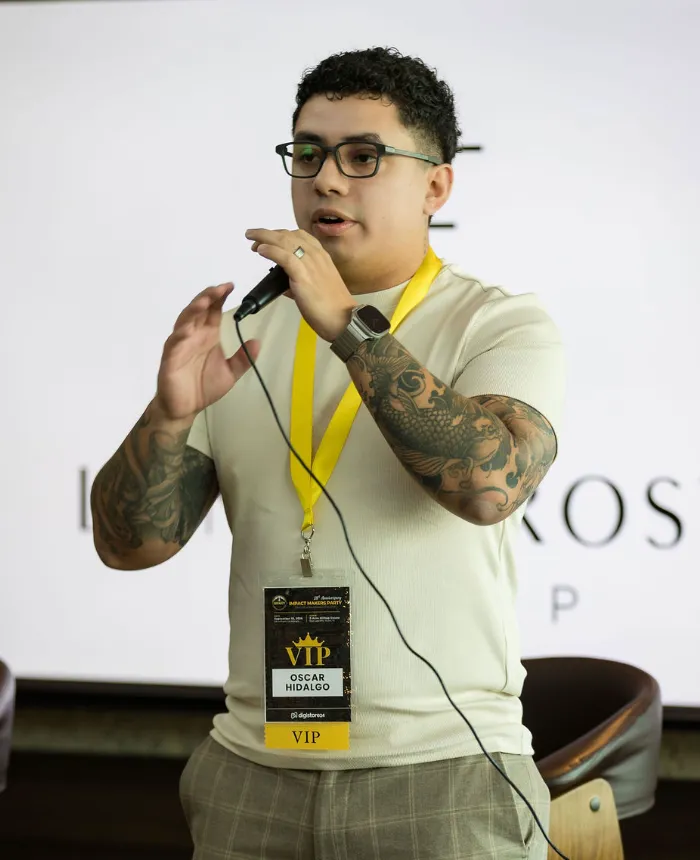
Who attends. You and our founder, Oscar Hidalgo. Bring your IT lead or MSP for the security walkthrough.
What you get
- A working diagnosis of the workflows where AI would return the most capacity
- A security walkthrough for you and your IT lead or MSP
- A read on who needs to be in the room, from executive sponsor to security sign-off
- Your own capacity math, so the next step is weighed against your numbers
What comes next. If there is a repeated workflow and a sponsor, the next step is the Sprint, or a build if you are ready.
Step 2 of 4 · 2 weeks
Private AI Blueprint and Enablement Sprint
We turn the AI seats you already pay for into five working workflows, and map what to build next.
Who attends. Your leadership team for the kickoff, then the department leads and the people who do the work.
What you get
- Leadership kickoff on what AI can and cannot safely do in your firm
- Hands-on department sessions on your real workflows
- Five working workflows built in your existing Claude, ChatGPT or Copilot workspace
- An opportunity map ranked by return, with a private deployment architecture and budget
- Recorded sessions and SOPs your team keeps
- A live roadmap walkthrough, booked in the final session
What comes next. The Sprint is credited in full toward a 90-Day Private AI Build, so starting here costs you nothing extra if you build.
Step 3 of 4 · 90 days
90-Day Private AI Build
We build custom agents and connectors inside your cloud, tenant or server, and measure success by whether your team uses them.
Who attends. Your executive sponsor, the owner of each workflow and your IT lead or MSP, with our founder, Oscar Hidalgo, as your named builder.
What you get
- Custom code, MCP servers and isolated agents running in your AWS account, VPC or own server
- Weekly working sessions with our founder, Oscar Hidalgo, as your named builder
- Client-billed AI seats and zero-data-retention API keys; you own all custom code and IP
- Stages from workflow analysis through build, QA, user acceptance, deployment and monitoring
- Monthly live team training, plus a recorded course and SOPs
What comes next. At day 90 you move to monthly support. The scope changes; the work continues.
Two delivery layers, both inside your environment
Layer 1 · Weeks 1 to 2, the Sprint
Your existing AI workspace
Projects, Skills and connectors that turn your seats into working team workflows.
Your Claude, ChatGPT or Copilot workspace.
Layer 2 · The 90-day build, then monthly
Custom code and agents
Custom code, MCP servers and isolated agents for work a workspace cannot hold.
Your AWS account, VPC or own server, reached over VPN or Tailscale.
Step 4 of 4 · Monthly
Ongoing support
We run, fix and extend what we built, and ship new workflows every month.
Who attends. Your workflow owners and your IT lead or MSP, for the monthly report and training.
What you get
- Monitoring, fixes and updates inside your environment
- New workflows or agents shipped every month
- Live team training every month
- A monthly report on hours saved, adoption and cost per workflow
What comes next. Month to month. Start with Core Private AI Ops, and move to the Private AI Department when you want more workflows and more leadership time.
Core Private AI Ops
- Monitoring, fixes and updates inside your environment
- One new workflow or agent shipped each month
- Two live team training sessions each month
- Email and Slack support
- A monthly ROI report: hours saved, adoption and cost per workflow
Private AI Department
- Everything in Core Private AI Ops
- Up to three new workflows or agents shipped each month
- A weekly session with leadership and department leads
- A department enablement roadmap and hackathons
- Same-business-day support for production issues
- A quarterly security and ROI review
Questions about how we work
Who should attend the strategy session?
The executive sponsor, the person who runs the workflow you want to fix, and your IT lead or MSP if you can. The session is 15 minutes to meet, then 45 to diagnose and walk through security.
What do you need from us before day one?
A named contractor account under your SSO and MFA, AI seats and a scoped API key that you pay for, a repo and environment you own, and least-privilege tokens scoped to the work.
What happens in the two-week Sprint?
A leadership kickoff, hands-on sessions with your departments, five working workflows in your existing AI workspace, an opportunity map ranked by return, and recorded sessions and SOPs your team keeps.
What changes at the build?
The work moves from your AI workspace into custom code, connectors and agents running in your own cloud or server. Our founder, Oscar Hidalgo, is your named builder in weekly working sessions.
What does the build cover that the Sprint does not?
The Sprint works inside the tools you already pay for. The build adds custom agents and connectors for work those tools cannot hold, with QA, user acceptance, deployment and monitoring.
What happens after the build?
Support continues month to month. We monitor, fix and extend what we built, ship new workflows, train your team and report on hours saved and adoption.
What if we want to stop?
You own the code, the accounts and the environment. Disable the contractor account and our access ends. Your team keeps the workflows, the SOPs and the recordings.
Start with one conversation about the workflow worth fixing first.
Talk to our team. In a free strategy session we map where private AI would pay off first in your firm, and you leave with a clear next step either way.